Can't get what you are looking for, or need some help?
Can't get what you are looking for,
or need some help?
Talk to us
Call me back
Email us
business@safaricom.co.ke
Call us
+254 722 002 222
Company
Discover
Terms of Service
Customer Support
+254 722 002 222
business.support@safaricom.co.ke
business@safaricom.co.ke
© 2026 Safaricom Business. All Rights Reserved.
Company
Discover
Terms of Service
Customer Support
+254 722 002 222
business.support@safaricom.co.ke
business@safaricom.co.ke
© 2026 Safaricom Business. All Rights Reserved.
Back to top
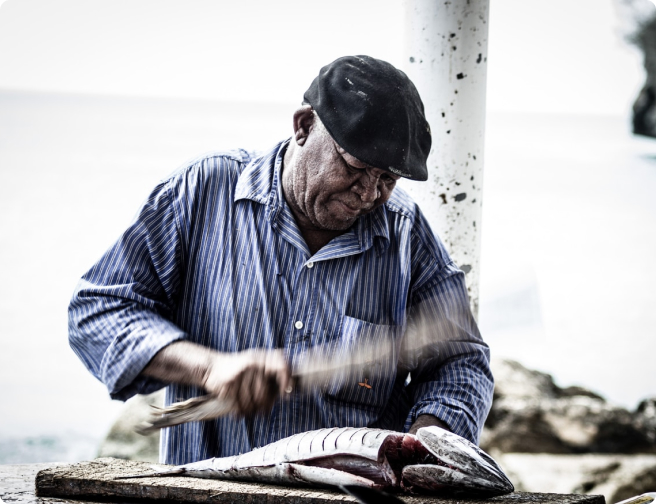
Collect contributions for emergencies, events, and community needs safely and conveniently.
Why Choose Short-Term Paybill
The solution offers a temporary paybill solution designed for fundraising, allowing individuals, groups, or businesses to collect contributions for urgent or time sensitive needs such as medical bills, funerals, weddings, education support, charity drives, religious causes, community emergencies, and other short term initiatives.
Benefits
Easy to activate
Easy and Simple to apply and get the paybill activated.
Frequently asked questions (FAQs)
When applying for the Short-Term Paybill, each type of Paybill has specific documents required as will be shown on the portal, i.e., a Medical Paybill will require different documents from a Wedding Paybill.
Paybill is a long-term product, and the applicant may use it over several years. It is used by businesses, institutions, and government entities and therefore a valid registration document/license is required during application. A Short-Term Paybill is designed to be used for a period of 6 months only, to accomplish a specific project after which it will be closed. The projects may be personal, so no business registration license is required. However, the applicant must provide official documentation to prove authenticity of the project.
Any format except ZIP file.
You can attach up to 10 MB per document required.
When applying for the Short-Term Paybill, each type of Paybill has specific documents required as will be shown on the portal, i.e., a medical Paybill will require different documents than a wedding Paybill. Follow this link to view the various categories of documents required; https://m-pesaforbusiness.co.ke/apply
Yes, one can apply on behalf of a beneficiary, minor, or a group.
The applicant is the person filling in the application form details and submitting the required documents on the online portal.
A beneficiary is the recipient or the person in need of the funds collected on the Short-Term Paybill.
Log in to the portal – https://m-pesaforbusiness.co.ke/ and click on “my applications” tab. Only the applicant can view the status of the application.
Pending: The application request has been submitted successfully to Lipa Na M-PESA team for processing. • Rejected: The application request has been rejected and the reason(s) is clearly indicated. • Approved: All documentation provided has been reviewed successfully and the business till is being processed. • Complete: The M-PESA Business till number is active, details sent to the applicant and payments can now be received against the Paybill Business Number provided.
All application requests will be through the online portal - https://m-pesaforbusiness.co.ke/ • After the application and submission of all the required documentation on the portal, processing of the Paybill will be done within 24 hours.
This is the Paybill number used by customers to make payments through Lipa Na M-PESA.
A Short-Term Paybill is valid for a maximum duration of 6 months.
By default, the applied tariff is known as Business Bouquet where the sender bears all the costs. Please refer to the tariff document on the downloads section for the detailed charges guide.
Dial *234*4# from the nominated mobile number given during the application request. The nominated number is an M-PESA registered number that is authorized to withdraw funds from the paybill • Select My Account Services. • Select Check Balance. • Select Business/Store number, and then enter the Paybill number. • A message will be sent showing the current Paybill balance.
This is a USSD code the customer dials on their mobile phone to withdraw the funds to the bank or check balance of funds on the Paybill.
Dial *234*4# from the nominated mobile number given during the application request. Nominated number is an M-PESA registered number that is authorized to withdraw funds from the paybill. • Select Withdraw Cash • Select To the Bank, and then enter the Paybill number Note: you can only withdraw funds to the bank account provided during the application process.
This is the ability to receive your funds into the bank immediately after initiating a withdrawal request.
Kindly send an email to MPESABusiness@safaricom.co.ke stating your Short-Term Paybill number and the duration of statements required.
The short-term is valid for 6 months after which it is closed and cannot receive funds. Make sure to withdraw the funds before the expiry of the Short-Term Paybill.
Others also viewed